“To me, the ideal workspace is completely quiet, dark, and monotonous, without any decorations or distractions.” 💻
Born in Finland in 1969, Linus Torvalds is a giant of computer engineering and recipient of the Millennium Technology Prize. He created the Linux operating system kernel in 1991, which powers hundreds of millions of servers, supercomputers, and mobile devices worldwide, and designed Git in 2005, the distributed version control system that became the standard for modern software development collaboration. How was his relentless and nearly perfect logical concentration—which triggered the 21st-century open-source software revolution—cultivated?
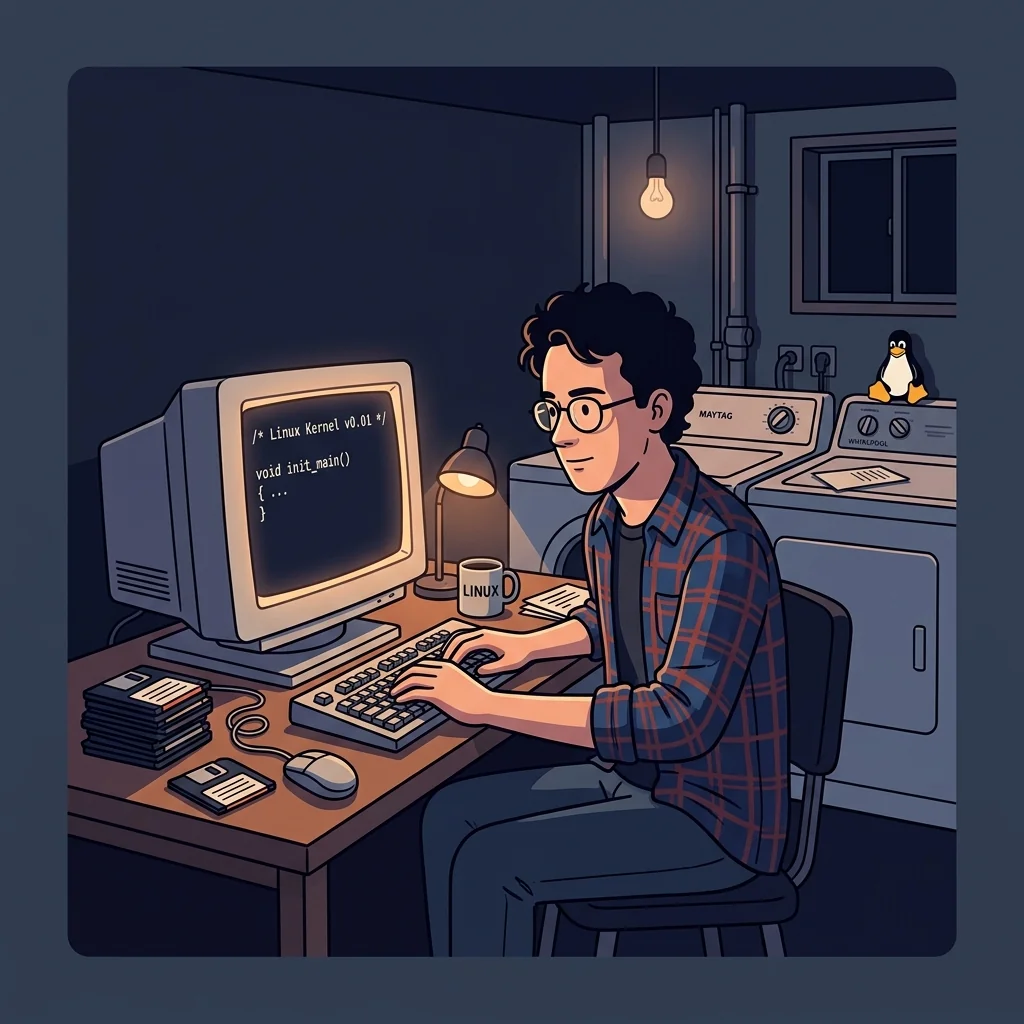
When writing complex operating system architectures and Git algorithms, Torvalds strictly adhered to a ‘darkroom focus’ habit, radically blocking external information inflow so his brain wouldn’t be disturbed by useless stimuli. He placed only his desk and computer in the smallest, darkest room in his house (a corner of a laundry utility room with vents and dryers). He completely blocked outside light with blackout curtains and painted the walls in plain, patternless neutral tones. Wearing earplugs in total dark silence devoid of decorations, he intensely focused his cerebral cells solely on the code logic displayed on his monitor screen.
In today’s post, we share a cognitive science analysis of how Linus Torvalds’ ‘stimulus-free darkroom’ routine activates the brain’s selective attention capabilities, and provide practical guidelines for modern knowledge workers to dramatically boost their work efficiency.
Historical & Academic Evidence
This content is based on Historical biographies and autobiographical records of Linus Torvalds & Cognitive Neuroscience research.
 BuildSelf
Inspired by historical greats? Make it your daily habit!
BuildSelf
Inspired by historical greats? Make it your daily habit!

















1. ‘Cognitive Filtration’: Preserving Attention by Controlling Visual Stimuli
Our visual cortex constantly and unconsciously calculates depth, color, and shape information for every object in view (toys on desks, colorful picture frames, movements of people passing by, etc.). Vision imposes the heaviest cognitive load on the brain, consuming roughly 30% of the cerebral cortex’s total energy.
Linus Torvalds’ darkroom focus routine was a peak implementation of ‘Cognitive Filtration’, blocking visual stimuli at their source to concentrate cognitive resources on advanced logical problem solving. When surroundings are dark and bright books or objects unrelated to the task disappear from view, the brain saves even the energy required to filter out distractions. The spare cognitive energy secured in the frontal lobe is directly converted into computational capacity to trace abstract data structures and coding logic, achieving overwhelming focus speed and precision.
2. 3-Step Practical Routine for Modern Professionals
Completely Eliminate Visual Decor Around the Desk
Clear all colorful picture frames, toy figurines, book covers on bookshelves, smartphones, and other distractions from your desk and line of sight. Place only your monitor, mouse, and keyboard.
Control Ambient Lighting and Build a Darkroom Environment
Close blackout curtains or turn off main room lights to significantly dim ambient lighting. Adjust settings so only the monitor screen light is visible, or keep a single soft indirect light behind or under the desk to prevent eye strain.
Immerse in a Single Digital Interface
Instead of cluttering your screen with multiple open windows, run only the code editor or document editor you are currently working on in full screen. Place just a single core text stimulus in front of your eyes to prevent fragmented attention.
3. In the Dark, a Coder’s Logic Becomes Crystal Clear
For Linus Torvalds, the laundry room darkroom was a cognitive fortress that blocked external temptations and minor stimuli at the source. If your home is distracting and you struggle to penetrate deeply into your work, wasting attention, try stripping your desk area of all visual decor and lowering the surrounding lighting before blaming your brain’s focus. You will experience remarkable immersion.
📌 Frequently Asked Questions (FAQ)
Does looking at a monitor in a dark room damage your eyesight? ▼
Excessively high contrast ratios in total darkness cause eye fatigue. Therefore, dimming the monitor's brightness to match the dark environment or installing a soft backlight (such as indirect LED strips) behind the monitor wall prevents optic nerve strain while maintaining deep immersion.
What should I do if I don't have a laundry room or an isolated room at home? ▼
It doesn't need to be a specialized isolated room. Closing the door of a regular room, sitting with your back to the wall to keep your visual field quiet, or installing a physical partition to block visual cognitive stimuli other than your monitor within 1.5 meters of your desk is more than sufficient.